Picking a web hosting plan for your WordPress site seems easy—until you’re staring at that checkout page, wondering what “shared hosting” and “WordPress hosting” even mean. Both options usually sit side by side with similar price tags, and the difference isn’t always obvious. Here’s the gist: shared hosting puts your site on a server with a bunch of other websites, while WordPress hosting is basically shared hosting with some extra tools, tweaks, and sometimes even management, all tailored for WordPress.

This difference matters more as your site gets bigger. If you’re just starting a blog and expecting light traffic, you might not notice much. But if you run a small business site and expect product launches or traffic spikes, you’ll feel the gap in performance and security pretty quickly.
“WordPress hosting” is a slippery label though. Some hosts use it to mean shared hosting plus a one-click installer. Others mean fully managed plans where they handle updates, backups, and even security for you. Before you pay, make sure you know which one you’re actually getting
Key Takeaways
- WordPress hosting and shared hosting often run on the same hardware, but WordPress hosting adds platform-specific tweaks, tools, and sometimes hands-on support.
- Performance, security, and who handles maintenance can be wildly different between cheap shared plans and real managed WordPress hosting.
- Your site’s traffic, growth plans, and how much tech stuff you want to handle should matter more than whatever promo price you see.
Hostinger — Best Value WordPress Hosting in 2026
Fast servers, one-click WordPress install, and plans starting under $3/month. The easiest way to get started without overspending.
⚑ Affiliate link — we may earn a commission at no extra cost to you.
The Core Difference At A Glance
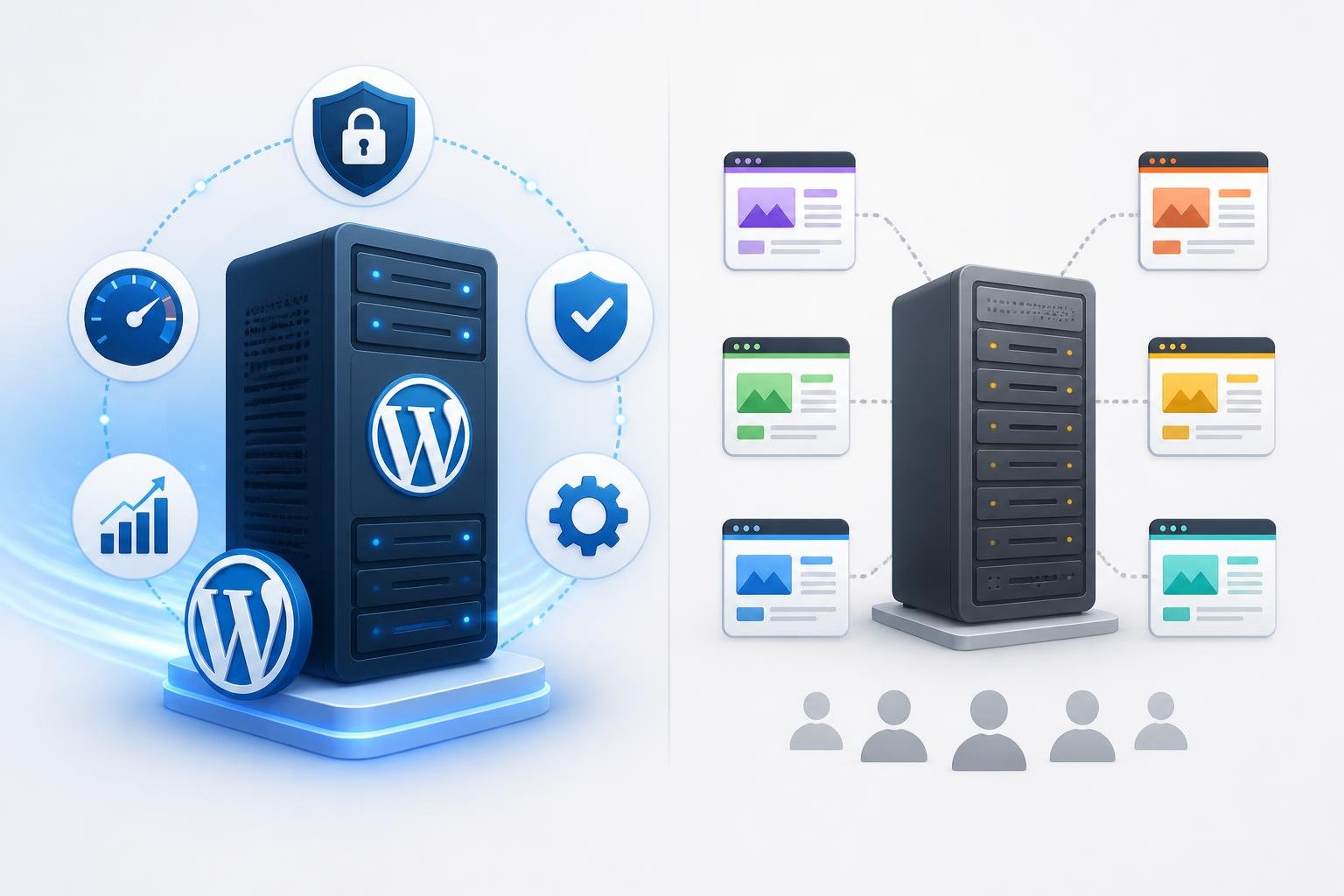
Both hosting types can run WordPress, no problem. The real split is in what the host sets up for you, what they keep running smoothly, and how much of the daily grind you’ll handle yourself.
What Is Shared Hosting
Shared hosting means your website lives on a physical server with a bunch of other sites. You all share the same CPU, RAM, and storage. Usually, you manage everything through something like cPanel.
It’s the go-to for most newbies. According to Bluehost’s hosting comparison, about 37.64% of websites still use shared hosting in 2026. The main draw? Price—shared hosting often starts under $5 a month.
You install WordPress yourself (usually with a one-click tool), do your own updates, and handle backups unless you pay extra for those.
What Is WordPress Hosting
WordPress hosting is built around making WordPress happy. At the bare minimum, the server is tuned for WordPress—think PHP versions, database tweaks, and caching rules all set up for how WordPress works.
At its best, you get a fully managed setup. The host handles core and plugin updates, daily backups, security scans, and server-level caching. You mostly live inside the WordPress dashboard, not some generic control panel.
Managed WordPress hosting takes it further with staff who actually know WordPress, not just servers in general.
Why These Two Options Get Confused
Lots of shared hosts toss in WordPress features like one-click installs, automatic updates, or staging environments and slap a “WordPress hosting” label on the plan. Under the hood, it might be identical to their standard shared plans.
This is where people get tripped up. “WordPress hosting” doesn’t always mean you’re getting a managed or high-performance service. Always check if things like updates, backups, and caching are included—or if you’ll be the one handling them.
How Performance Differs In Real Use
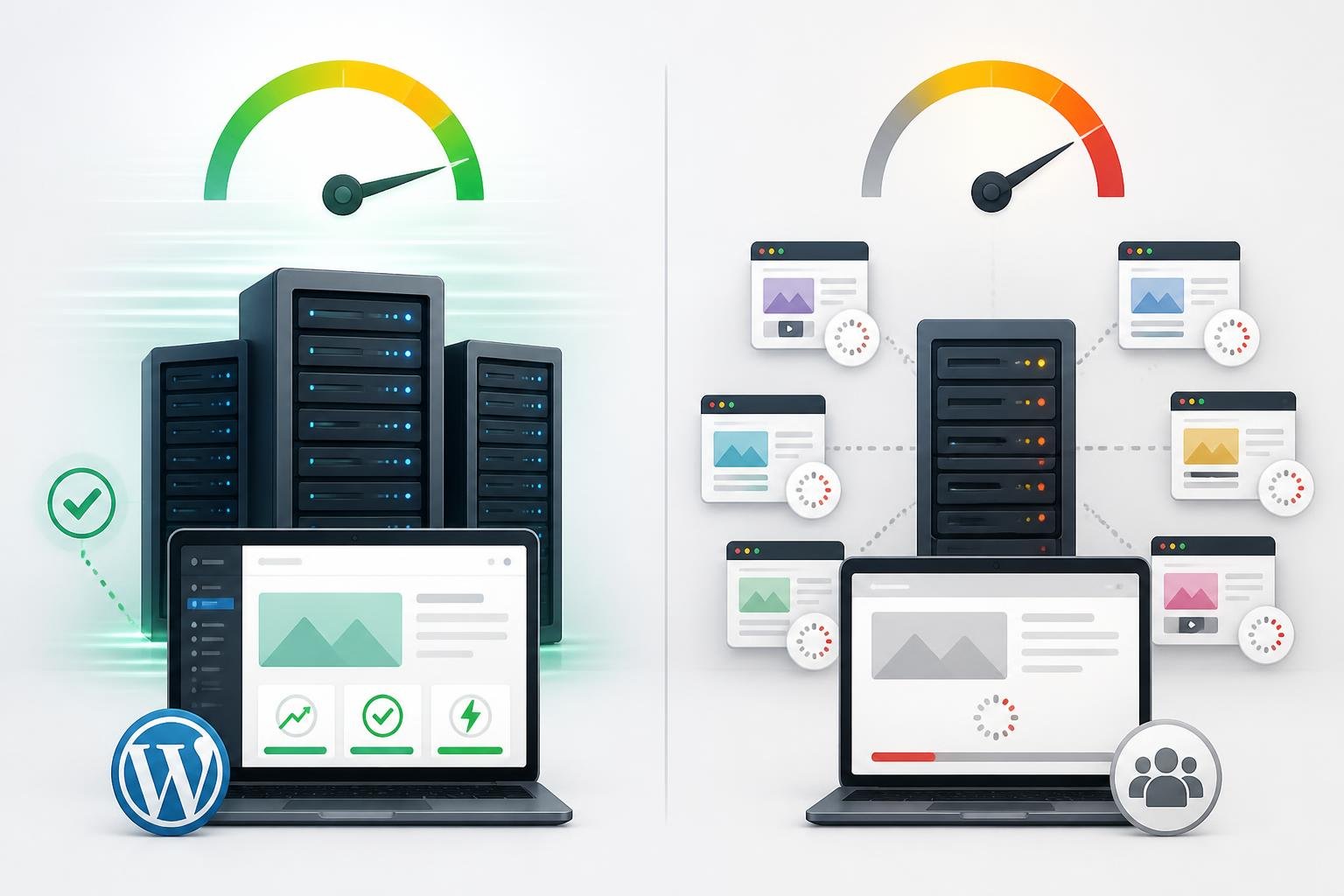
Performance is where the differences really show. Server setup, caching, and how resources get split all impact how fast your site loads and how it holds up under real traffic.
Server Resources And The Bad Neighbor Problem
On shared hosting, your site fights for CPU and RAM with every other site on that server. If someone else gets a traffic spike or runs bad code, your site slows down—even if you did everything right. That’s the infamous “bad neighbor” problem.
WordPress-optimized hosting usually isolates resources better. Some hosts use containers, so your site gets its own limits and neighbors can’t hog your share. This matters more as your traffic picks up.
Caching, CDN, And Server Tuning
Server-level caching is a huge plus for WordPress hosting. Instead of making WordPress rebuild every page from scratch, it serves a cached version instantly. On basic shared hosting, you’re usually stuck setting up caching plugins yourself.
Many WordPress hosts throw in a built-in CDN, so your images and scripts load from servers closer to visitors. They’ll often pre-configure things like Nginx and PHP-FPM for better speed. On regular shared hosting, you’d have to set this up yourself—if the host even lets you.
Load Times, Page Speed, And Traffic Spikes
The performance gap gets obvious during traffic spikes. Shared hosting with no caching and limited resources can choke if a post goes viral or a product gets popular.
WordPress hosting with server-level caching handles those spikes better, since cached pages don’t hammer the database. Portent research cited by Bluehost says a one-second load time triples conversions compared to five seconds. Your hosting choice can put you on either side of that stat.
Setup And Day-To-Day Management
How much time you spend babysitting your site depends a lot on your hosting plan. Shared hosting puts more on your plate. WordPress hosting, especially managed, takes a bunch of work off it.
Control Panel Vs WordPress Dashboard
With shared hosting, you use a general control panel—usually cPanel—to manage files, domains, email, and install apps.
WordPress hosting shifts most stuff into the WordPress dashboard. You handle content, themes, plugins, and sometimes even performance stats all in one place. Managed plans often add a custom panel for things like cache, backups, and staging—just a click away.
One-Click Installs And WordPress Pre-Installed
Both types usually offer a one-click WordPress install tool like Softaculous. WordPress hosting often takes it further and pre-installs WordPress, so you’re ready to go right when you log in.
If you’re a beginner setting up your first site, this might not seem like a big deal. But if you launch lots of sites, having WordPress pre-installed with the right settings can save a surprising amount of time.
Automatic Updates, Backups, And Restore Options
This is where management differences really show. On shared hosting, you handle all WordPress core, theme, and plugin updates yourself. If you forget, you open up security holes.
WordPress hosting—especially managed—automates core updates for you. Daily backups are usually included, and most hosts let you restore with one click. Managed WordPress hosting services take care of server maintenance in the background, so you don’t have to babysit anything.
Security And Maintenance Responsibilities
Security on shared hosting is, well, shared in a lot of ways. Your neighbors on the server can affect your site’s safety, and you’re mostly responsible for keeping your own WordPress install secure.
Shared Risk Vs WordPress-Specific Protections
If one site on a shared server gets hacked, malware can sometimes spread if the host doesn’t isolate accounts well. That’s a real risk with shared hosting.
WordPress hosting tackles this with better isolation and WordPress-specific protections. They build in firewalls tuned for WordPress attacks, login protection, and rate limiting at the hosting level—so you don’t have to rely only on plugins.
Malware Scanning, SSL, And DDoS Protection
Most good hosts now include a free SSL certificate, no matter the plan. The difference is in how deep their security monitoring goes. WordPress hosting plans often run automated malware scans and flag issues for you, so you don’t have to remember to do it.
WordPress-focused hosts usually offer stronger DDoS protection, filtering attacks before they even reach your site. On regular shared hosting, you might be more exposed since resources are spread thin and the host’s defenses are less targeted.
Plugins, Auto-Updates, And Ongoing Upkeep
On shared hosting, you’ll probably need security plugins like Wordfence or Sucuri. You install, set up, and monitor them yourself.
WordPress hosting can make those plugins less crucial. Automatic updates patch known vulnerabilities before hackers can exploit them. Some managed hosts even block risky plugins or performance hogs, which is worth knowing before you commit.
Support, Convenience, And User Experience
When things break, the difference between standard shared hosting and WordPress-specific plans gets really clear.
General Hosting Support Vs WordPress Support
Shared hosting support covers server stuff: email, DNS, domains, file permissions. If you run into a WordPress-specific problem—like a plugin conflict or a theme that breaks—general support might not dig deep enough to help.
WordPress hosting support teams know WordPress inside out. They help with plugin issues, staging environments, and all the weird things that can go wrong inside WordPress. That kind of help is a lifesaver when you’re stuck late at night before a big launch.
Managed WordPress Hosting And Expert Help
Managed WordPress hosting takes support a step further by shifting from just answering your questions to actually managing stuff for you. Your provider handles updates, locks down security, and tweaks performance behind the scenes.
Hostadvice puts it pretty simply: with shared hosting, you get server space and do the rest yourself. Managed hosting, though, means experts take care of updates, security, and support, so you spend way less time on maintenance every month.
Staging And Other Workflow Features
Most WordPress hosting plans toss in a staging environment—a kind of sandbox where you can safely test updates, design tweaks, or new plugins before anything touches your real site.
Shared hosting usually skips this feature. If you’re constantly updating your site, not having staging is risky. Deploying a change to your live site only to break things during peak traffic? That’ll ruin your day.
Pricing, Value, And Upgrade Paths
Price tags grab attention first, but honestly, they can be pretty misleading if you stop at the intro rate.
Why Shared Hosting Plans Cost Less
Shared hosting stays cheap because providers split server costs among tons of users. You get a slice of a server and a low monthly bill to match.
Most big names start between $2 and $6 per month for entry-level shared hosting. Sometimes, WordPress hosting at the same companies sits in that range too—if it’s just shared hosting with a WordPress badge. But real managed WordPress plans? Those jump to $20–$60 a month, depending on who you pick.
When WordPress Features Justify Higher Hosting Costs
Things change when you add up all the stuff you’d have to pay for separately with shared hosting. Security plugins, backups, CDNs, and extra developer hours can easily eat up the “savings.”
If your site makes money, saving time on maintenance and dodging downtime or hacks usually makes the higher WordPress hosting cost worth it. HostGator points out that the price difference between basic shared and WordPress plans is often just a few bucks, but the features you get aren’t even close.
When To Move To VPS Hosting Or Cloud Hosting
Both shared and entry-level WordPress hosting have ceilings. If your site keeps bumping into those—maybe from high traffic or complicated plugins—it’s time to look at VPS or cloud hosting for dedicated resources and more control.
Cloud hosting lets you scale on the fly with traffic spikes. VPS gives you a private slice of server power that nobody else touches. Both shared and WordPress hosts usually have upgrade paths, and most can help you move up without a nightmare migration.
Which Option Fits Different Website Goals
Picking between shared and WordPress hosting really comes down to what your site needs right now. It’s about matching your goals with the right level of support and infrastructure.
Best Fit For Blogs, Portfolios, And Brochure Sites
Starting a personal blog, portfolio, or a basic site for your local business? Shared hosting works. Low traffic, low stakes, and real savings.
You can spin up WordPress with a one-click installer and have a site running in less than an hour. At this stage, the speed boost from WordPress-specific hosting just doesn’t justify the extra cost.
Best Fit For Business Sites And Growing WordPress Projects
If you run a business site that takes bookings, sells stuff, or really needs to stay online and fast, WordPress hosting with managed features makes a difference. That safety net of auto-updates and backups matters more when your site brings in revenue.
WordPress hosting comes in a few flavors: shared WordPress (basic), managed WordPress (full-service), and cloud-based WordPress (scalable). As your traffic grows, you’ll probably move up to managed, and maybe eventually to cloud or VPS. It’s less a brand switch and more just leveling up.
Advantages Of Shared Hosting For Budget-First Users
Shared hosting shines for a certain crowd: folks who know their way around tech, run low-traffic sites, and don’t mind handling updates and backups themselves to save money.
If that’s you, shared hosting gives solid value. Just keep in mind, the real tradeoff is your time and the performance ceiling you’ll eventually hit if your site grows.
SiteGround — Our Top Pick for Business Sites
Fast managed WordPress, real WordPress support, and rock-solid uptime. The plan we’d choose if our site makes money.
- ✓ Automatic WordPress updates
- ✓ Daily backups + 1-click restore
- ✓ Built-in CDN & caching
- ✓ WordPress expert support 24/7
Starting at $3.99/month
⚑ Affiliate link — we may earn a commission at no extra cost to you.
Common Buying Mistakes To Avoid
Most regrets in the shared vs WordPress hosting debate come from three places: not checking what’s actually included, focusing on the wrong price, or skipping the fine print.
Assuming All WordPress Hosting Is Managed
“WordPress hosting” doesn’t always mean the host manages WordPress for you. Plenty of shared hosts slap on the WordPress label just because they have a one-click installer and recommend it as the CMS.
Before you buy, double-check if the plan really covers automatic updates, daily backups, and malware scans. If the comparison page is vague, assume those aren’t included and adjust your price expectations.
Choosing Based On Intro Pricing Alone
Intro rates on shared hosting are often 60–80% lower than what you’ll pay at renewal. That $2.75/month plan? It might jump to $9 or more after the first term. Same thing with WordPress hosting.
Always compare renewal rates, not just promos. Sometimes a $5/month bump for managed WordPress is actually a better deal once you factor in the included features and what you’d otherwise pay for separately.
Ignoring Limits Hidden Inside Hosting Plans
Shared hosting plans love to advertise “unlimited” storage or bandwidth, but the fine print usually hides soft limits. Hit those, and you might get throttled or nudged to upgrade.
WordPress-specific plans aren’t always clearer. Watch for caps on monthly visits, PHP workers (which limit how many requests your site can handle at once), and the number of sites you can host. Rocket.net and HostGator structure these limits very differently, so read all the plan details before you commit.
✅ Ready To Choose Your WordPress Hosting?
Compare the best plans available right now and lock in the lowest intro price before it expires.
⚑ Affiliate links — we may earn a commission at no extra cost to you. Prices verified May 2026.
Frequently Asked Questions
What features make WordPress-specific hosting different from general shared hosting plans?
WordPress hosting brings in server tweaks just for WordPress, like tuned PHP settings, server-level caching, and pre-installed WordPress. Managed WordPress hosting goes even further—automatic updates, daily backups, malware scans, and support staff who know WordPress inside and out. With regular shared hosting, you handle most of that yourself.
How do performance and page load times typically compare between managed WordPress hosting and shared hosting?
Managed WordPress hosting usually loads pages faster. You get server-level caching, optimized PHP, and sometimes a built-in CDN. Shared hosting makes you set up caching with plugins, and resources are spread thinner. The difference really shows up when your site gets a traffic spike.
Which option offers stronger security and malware protection for a WordPress site?
WordPress hosting—especially managed—comes packed with WordPress-specific firewall rules, scheduled malware scans, and proactive security patches. Shared hosting keeps things basic and expects you to install and update security plugins yourself. WordPress-optimized plans also usually keep accounts more separated.
How do updates, backups, and caching differ between WordPress hosting and shared hosting?
With shared hosting, you’re on the hook for updating WordPress, themes, and plugins, plus setting up backups and caching plugins. WordPress hosting, especially managed plans, takes care of WordPress updates automatically, includes daily backups with one-click restores, and handles caching at the server level.
When does it make sense to upgrade from shared hosting to a WordPress-focused plan?
Consider upgrading when your site starts making money, downtime or slow speeds actually cost you, or handling updates and backups chews up too much time. If you’ve run into security headaches or your site keeps maxing out shared resources, it’s probably time for a WordPress-specific plan.
→ Compare current WordPress hosting prices
How do pricing, resource limits, and scalability compare between these hosting types?
Shared hosting usually starts at a lower price, but you’ll hit resource ceilings fast since you’re on a server with a bunch of other sites. Entry-level WordPress hosting costs about the same at a lot of providers.
Fully managed plans jump up to anywhere from $20 to $60 a month. If you’re thinking about scaling up, cloud and VPS WordPress hosting make it way easier to bump up your resources without the headache of moving everything to a new platform.
Don’t forget to look at renewal rates—they sneak up on people. And keep an eye out for soft limits on stuff like site visits, PHP workers, or how many sites you can actually run.


Author: Sintugau
Louis is a web hosting expert with over 5 years of experience reviewing and testing hosting providers. He helps users find the best hosting solutions for their needs.
3 thoughts on “WordPress Hosting Vs Shared Hosting Difference Explained”