Finding the best cloud hosting for developers in 2026 means matching the platform to your workload, not just picking the biggest name.
Choosing a cloud hosting platform in 2026? It’s honestly a decision that can make or break how fast your team ships, how much you end up paying month to month, and just how much extra work you end up doing. The landscape looks a lot different now: you’ve got modern PaaS platforms that are just as easy as Heroku ever was, raw VPS options with killer price-to-performance, and the usual hyperscalers with more features than you’ll probably ever use.

But honestly, the real question isn’t which platform is “best” on paper—it’s which one actually fits your workload, your team, and your budget right now. Vercel’s a no-brainer for Next.js frontends. Hetzner is the clear winner if you care about price-to-performance and want EU hosting. AWS still dominates for anything complicated. And Render and Railway? They’ve turned into Heroku replacements that developers don’t actually hate using.
This guide tries to cut through the marketing fluff by organizing developer hosting options by use case, pricing, and how much hassle you’re in for. Expect direct advice, some honest limitations, and the kind of trade-offs you actually care about—whether you’re building a weekend project, a SaaS app, an API, or something bigger in 2026.
That’s the real test for the best cloud hosting for developers : fit, not hype.
Key Takeaways
- Pick your platform based on your app architecture. Frontend-heavy, containerized backend, or old-school enterprise? There are clear winners for each in 2026.
- If you want predictable bills, go with platforms like DigitalOcean and Hetzner—they’re flat-rate and transparent, unlike the “surprise!” invoices from pay-as-you-go.
- Modern PaaS platforms like Render and Railway have moved past Heroku. You get better performance, more control, and the pricing doesn’t sting as much.
Best Cloud Hosting for Developers By Use Case

What you’re building really decides which platform makes sense. Frontend deployments, full-stack apps, raw VPS, enterprise stuff, edge-first workloads—they all have different top picks.
Best For Frontend And Next.js Apps
Vercel is still the go-to for frontend devs in 2026. If you’re working with Next.js, React, or any JAMstack stuff, it’s hard to beat: push to GitHub, get a preview link for every PR, and you can ship to the edge in under half a minute. That’s just fun.
The free Hobby plan gives you 100 GB bandwidth per month, which is plenty for personal or side projects. If you need team features or higher concurrency, the Pro plan at $20/month opens that up.
Cloudflare Pages is a strong alternative. It’s just as good for static sites and edge-rendered apps, and the free tier is actually usable for real work—not just a teaser. If you’re already using Cloudflare for DNS or security, putting your frontend on Pages just makes life easier.
Netlify still works for simple static sites and forms, but Vercel and Cloudflare Pages have taken the lead for edge performance and overall developer experience with modern frontends.
Best For Full-Stack Startups
Render and Railway stand out as the Heroku alternatives that actually deliver in 2026. Both support Git-based deploys, managed Postgres, background jobs, and cron—all without the headache of running your own servers.
Railway is super quick to get rolling with—you can have a full-stack app and a database up in minutes, and their pricing is straight-up and usage-based. Render has a better free tier, but people have grumbled about cold starts on the free plan.
DigitalOcean App Platform is a solid pick if you want PaaS simplicity but might need to drop down to raw Droplets later for more control. According to the devhunt.org comparison, DigitalOcean’s docs and flat pricing are still big advantages here.
Best For Cheap VPS And Full Control
Hetzner wins hands-down for developers who want a real Linux box without the cloud premium. You can get a 2 vCPU, 4 GB RAM NVMe instance for about €3.79/month—that’s way cheaper than DigitalOcean or AWS for the same specs.
The catch? Data centers are only in Germany and Finland, there are no managed databases, and the product is intentionally basic. But if you’re self-hosting, running CI/CD, or need cheap EU hosting, Hetzner is a great option.
Vultr and Linode (Akamai Cloud) give you more global data centers, and their prices are closer to DigitalOcean. If you need US or Asia-Pacific regions Hetzner doesn’t cover, these are worth a look.
If Vultr’s global footprint fits your needs better than Hetzner’s EU-only setup, our Vultr cloud hosting review covers its plans, pricing, and performance in detail.
Best For Enterprise And Complex Architectures
AWS is still the default if you’ve got complex needs, compliance headaches, or large-scale stuff. The sheer number of services (EC2, S3, Lambda, RDS, SageMaker, and a couple hundred more) is unmatched, and nobody beats their global reach.
Google Cloud is the top pick for teams running Kubernetes or big data. GKE is the gold standard for managed Kubernetes, and BigQuery is fast at scale. New accounts get $300 in free credits, which is nice for testing.
Azure is for organizations tied into the Microsoft world—think Active Directory, Office 365, or anything .NET-heavy.
Best For Edge-First Apps And APIs
Cloudflare Workers is the go-to if latency is your main worry. With 300+ points of presence and cold starts under 5ms, you run code closer to users than any old-school data center can manage.
Fly.io does edge differently: you deploy containers to regions all over the world, which gives you more flexibility than Workers’ V8 model. It’s a great fit if you need persistent connections or server-side state close to users.
For API-heavy work where you want a global edge but don’t want to wrangle containers, Cloudflare Workers plus R2 storage is a solid, no-egress-fee combo.
How To Choose The Right Platform
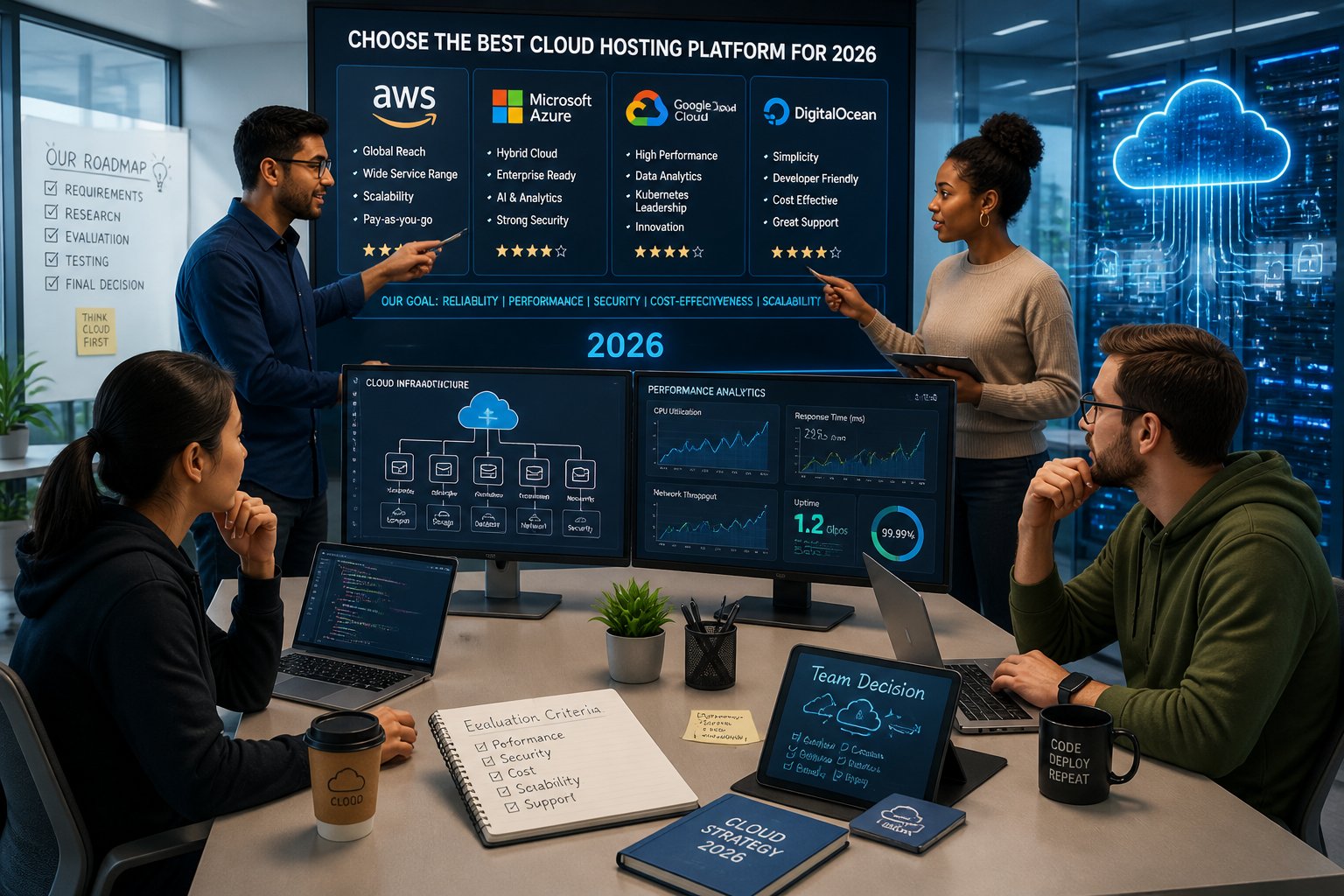
Picking the best cloud hosting for developers really comes down to three things.
Picking a platform really boils down to three things: what your app actually needs, how much operational work your team can handle, and whether you want managed hosting or to bring your own cloud at your current scale.
Match Hosting To Your App Architecture
Your architecture should drive your platform—not the other way around. If you’ve got a stateless Next.js frontend with a few API routes, put it on Vercel or Cloudflare Pages. Don’t bother with a VPS. If you’re running a stateful API with Postgres and Redis and need background jobs, go for a platform that manages those for you.
Where are your users? A US-only SaaS has different latency needs than a global API. If most traffic is in Europe and you’re watching your budget, Hetzner with Cloudflare CDN out front is a solid setup.
How much do you want to manage? A VPS means total control but also total responsibility: OS updates, database tuning, SSL, monitoring—the works. PaaS takes care of that but limits your flexibility and sometimes costs a bit more.
Choose Between PaaS, VPS, And Serverless
PaaS platforms like Render, Railway, and DigitalOcean App Platform take care of deployment for you. You push code, they run it. Perfect for small teams who’d rather build features than babysit servers.
VPS hosting (Hetzner, DigitalOcean Droplets, Vultr, Linode) gives you a bare Linux box. You run the whole stack. It’s cheaper per compute unit, but you need to handle the ops. Good for teams with some DevOps chops or self-hosters.
Serverless (Cloudflare Workers, AWS Lambda, Google Cloud Run) charges you per invocation, not for idle time. If your traffic spikes or is unpredictable, this can save you money. For always-on services, though, fixed-price servers often come out cheaper.
Honestly, mixing models works for a lot of people: Cloudflare for edge and CDN, PaaS or VPS for your backend, and managed databases from whoever you trust.
When BYOC Or Managed Hosting Makes Sense
Bring-your-own-cloud (BYOC) is getting more popular in 2026, especially for teams that want the developer experience of a managed platform but don’t want to be locked into someone else’s infrastructure. Platforms like Northflank and Encore let you deploy into your own AWS or GCP account, so your data stays with you while they handle the orchestration headaches.
Managed hosting from providers like Cloudways (built on top of DigitalOcean, Vultr, AWS, or GCP) is a lifesaver if you want reliable cloud hosting but don’t care to configure everything yourself. It’s especially handy for WordPress-heavy teams or agencies juggling lots of client apps.
If you want that managed experience without picking your own cloud provider upfront, our Cloudways review breaks down how it performs across DigitalOcean, Vultr, and AWS.
Choosing between BYOC and fully managed hosting usually comes down to compliance, data residency, and whether your team can handle a migration if the time comes.
Pricing, Free Tiers, And Cost Control
Cost is often the deciding factor in choosing the best cloud hosting for developers, and it’s rarely as simple as the sticker price.
Cloud pricing is honestly a mess, and it’s where you really notice the differences between platforms. It’s not just about the sticker price—they all meter stuff differently, bill bandwidth their own way, and their free tiers can be wildly different in practice.
Transparent Pricing Vs Pay-As-You-Go Billing
Flat-rate pricing keeps budgeting simple. DigitalOcean charges a fixed monthly fee per Droplet or App Platform instance, and you generally don’t get hit with surprise bandwidth charges. Hetzner works the same way. You know what you’ll pay before the month even starts.
Pay-as-you-go (AWS, Google Cloud, Azure) can be super cost-effective at scale, but if you don’t have good cost monitoring, you can get burned. AWS especially is notorious for surprise bills—misconfigured services, egress fees, or just forgetting to turn something off.
If you’re early-stage or watching your wallet, stick with flat-rate platforms. Only move to pay-as-you-go once you’ve got billing alerts, dashboards, and a good sense of your usage patterns.
What Free Tiers Actually Cover In 2026
Free tiers? They’re all over the place. According to a 2026 audit, most providers have tightened their free plans as costs have gone up, so double-check the current limits before you build anything important on a free plan.
Vercel’s Hobby plan gives you 100 GB bandwidth and is great for personal stuff, but if you’re doing anything commercial, you’ll need Pro. Cloudflare’s free tier is probably the most generous for real production use: you get Workers (100,000 requests/day), Pages, R2 storage, CDN, and DDoS protection, and you usually don’t even need a credit card.
AWS and Google Cloud have 12-month free tiers for certain services (like EC2 t2.micro, Cloud Run), but they’re mainly there to get you in the door, not to run real workloads forever. Render’s free tier comes with cold starts if your service goes idle, which can be a dealbreaker for real APIs.
Avoiding Surprise Costs From Bandwidth And Compute
Egress fees are notorious for causing surprise cloud bills. AWS S3 charges you every time data leaves a bucket. GCP and Azure? Pretty much the same story. Costs really start to pile up when your compute and storage aren’t in the same region or even the same service.
Cloudflare’s R2 object storage doesn’t charge egress fees at all, which is a huge win if your app moves a lot of data. If you’re serving up big files or lots of assets, those savings rack up fast.
Set up budget alerts before you deploy anything on pay-as-you-go platforms. On AWS, check out Cost Explorer and set up billing alerts. Google Cloud lets you set budget notifications at 50%, 90%, and 100% of your expected monthly spend. Always factor bandwidth and compute into your price-to-performance math—headline instance prices alone don’t tell the whole story.
Deployment Workflows And Developer Experience
Developer experience is honestly where you’ll feel the biggest differences between platforms day to day. The path from pushing a commit to seeing a live deployment—and how many headaches you hit along the way—shapes how much you actually get done.
Git Deployment, CI/CD, And Preview Environments
By now, Git-based deployment is just expected. Vercel, Netlify, Render, Railway, and DigitalOcean App Platform all hook into your GitHub, GitLab, or Bitbucket repo and kick off deployments when you push. The quality of that integration? It varies, sometimes a lot.
Vercel really nails preview deployments: each pull request gets its own URL and a real, running version of your app. That makes design reviews and QA so much faster. Render and Railway have similar features, and Railway’s preview environments are especially slick for full-stack apps with databases attached.
If you need more than just basic git triggers, platforms differ in how much they let you tweak your CI/CD pipelines. DigitalOcean App Platform uses app.yaml (kind of like render.yaml on Render) for configuration. AWS and GCP want you to use their own CI/CD tools (CodePipeline, Cloud Build), or you can plug in any external CI system with their deployment APIs.
Docker And Container-Based Delivery
Docker-based deployments give you consistent environments, wherever you run. Render, Railway, Fly.io, and DigitalOcean App Platform all support Dockerfile deployments natively. Just push a container image or a repo with a Dockerfile, and the platform does the rest.
Need more control over container orchestration? Managed Kubernetes is available on AWS (EKS), Google Cloud (GKE), DigitalOcean, and others. GKE has a reputation for stability and solid tooling. If you want something simpler, Google Cloud Run and AWS Lambda Container Images let you run containers serverlessly, no cluster management required.
Fly.io does things a bit differently: you deploy containers straight to specific regions, and Fly takes care of routing and scaling. It’s a nice sweet spot between the simplicity of PaaS and the flexibility of containers.
SSH Access, Logs, And Day-To-Day Operations
SSH access is still a big deal for debugging. VPS providers like Hetzner, DigitalOcean Droplets, Vultr, and Linode give you full SSH by default. PaaS platforms? It’s mixed: Render offers SSH on paid plans, Railway skips it entirely, and Vercel doesn’t have SSH at all (it’s all serverless).
Logs are a daily necessity. Render and Railway let you stream logs right in the dashboard or via CLI. DigitalOcean App Platform connects logs to its monitoring suite. AWS CloudWatch and GCP Cloud Logging are powerful, but you’ll need to set them up and they might cost extra.
Honestly, for most teams, you’ll want a mix of good log streaming, CLI access, and at least SSH or exec into running containers. That’s the bare minimum for feeling comfortable running anything in production.
Databases, Storage, And Stateful Services
Stateful services—databases, caching, background jobs, object storage—are where switching platforms gets expensive and painful. It’s worth getting these right from the start.
Managed Postgres, MySQL, And MongoDB Options
Managed databases take patching, backups, replication, and failover off your plate. Most developer-focused platforms offer at least managed Postgres now.
DigitalOcean gives you managed PostgreSQL, MySQL, and MongoDB with automated backups and read replicas. Pricing’s pretty transparent, starting at $15/month for a basic Postgres cluster. Render has managed PostgreSQL too, with a free tier for small databases (but heads up, free-tier databases expire after 90 days).
Railway makes Postgres and MySQL first-class citizens, tightly integrated into the deployment workflow. Spinning up a database alongside your app takes less than a minute.
AWS RDS and Google Cloud SQL are the heavyweight options, supporting Postgres, MySQL, and commercial engines. They offer advanced replication, Multi-AZ failover, and all the compliance checklists you could want. They’re pricier and more complex, but sometimes that’s what you need for serious production workloads.
Redis, Backups, And Background Processing
Need Redis? DigitalOcean, Railway, Render (via add-ons), and AWS ElastiCache all offer managed Redis. For caching, sessions, and pub/sub, managed Redis almost always beats rolling your own.
Background workers and cron jobs are easy to set up on Render and Railway—they’re separate service types, so you don’t have to shoehorn jobs into your web server. It’s a cleaner setup.
Don’t forget about backups. Make sure your platform actually runs automated backups, check the retention period, and know what point-in-time recovery really means before you trust it with real user data.
Object Storage And Asset Delivery
For object storage, your main options are AWS S3, Google Cloud Storage, DigitalOcean Spaces, and Cloudflare R2. S3 has the biggest ecosystem, but egress fees get expensive if you’re pushing a lot of bandwidth.
Cloudflare R2 is S3-compatible and skips egress fees, which is a big deal for media-heavy apps or file hosting. DigitalOcean Spaces is also S3-compatible, with flat-rate pricing that includes a bandwidth allowance.
Honestly, pairing your compute’s storage with a CDN in front is usually more important than which object storage provider you pick. Cloudflare’s CDN works in front of any of them.
Performance, Scale, And Global Reach
Performance at scale isn’t just about server speed. CDN coverage, cold starts, auto-scaling, and running containers at the edge all shape what your users actually feel.
CDN, Edge Network, And Data Center Coverage
Cloudflare runs the biggest global edge network of any provider here, with over 300 PoPs worldwide. Its CDN comes baked into the free tier and shaves off real latency for static assets, DNS, and cached responses—no config needed.
Vercel’s edge network is built for frontend delivery and Next.js server functions. It’s super fast and solid for US and Europe, but coverage in Southeast Asia and South America is a bit patchier than Cloudflare.
AWS, Google Cloud, and Azure have massive data center footprints with tons of regions. If you want compute close to users (not just cached content), hyperscalers give you the most geographic flexibility. GCP’s global network backbone is especially fast for inter-region traffic.
Auto-Scaling, Cold Starts, And Runtime Limits
Auto-scaling works differently everywhere. AWS Lambda and Google Cloud Run both scale to zero and ramp up per request, so you don’t pay for idle time, but you do get cold starts. For Lambda, cold starts in Node.js usually add 200ms to a second of latency. Cloud Run’s cold starts are about the same.
Cloudflare Workers are a different beast: V8 isolates start in under 5ms, so cold starts aren’t really an issue. The catch? The runtime is more limited (no Node.js APIs), but it’s gotten a lot better by 2026.
On Fly.io, Render, or Railway, auto-scaling happens at the container level. You can scale down to zero on free tiers (which brings back the cold start delay), but paid plans keep instances warm.
Kubernetes And Managed Container Scaling
If you need fine-grained control over orchestration, multi-service deployments, or workloads that outgrow PaaS, managed Kubernetes is the way to go.
GKE (Google Kubernetes Engine) is the most mature, with Autopilot mode that handles node provisioning. AWS EKS is deeply tied into AWS’s ecosystem but does have a steeper learning curve. DigitalOcean Kubernetes is a good pick if you want managed K8s with less complexity and a friendlier price.
If you want container-level control without wrangling Kubernetes clusters, Google Cloud Run and AWS App Runner let you deploy containers with automatic scaling and no cluster headaches. Great for APIs and microservices that don’t need the full Kubernetes toolkit.
Security, Compliance, And Reliability
Security and compliance aren’t afterthoughts anymore. For any production app, your hosting platform needs to cover the operational security basics so you can focus on what you’re actually building.
SSL, Free SSL, And Traffic Protection
Free SSL is table stakes now. Vercel, Netlify, Render, Railway, DigitalOcean, Cloudflare, and the hyperscalers all hand out and auto-renew TLS certificates. If a platform doesn’t, run the other way.
DDoS protection is where you’ll see real differences. Cloudflare’s free tier includes network-level DDoS protection for anything behind it. Vercel and Netlify handle app-layer DDoS as part of their stack.
If you’re on a VPS (Hetzner, DigitalOcean Droplets, Vultr), DDoS protection is usually pretty basic. Putting Cloudflare in front of a VPS-hosted service adds solid protection for free, and honestly, you should just do it.
Compliance And Data Residency Considerations
Compliance needs can instantly narrow your platform options. HIPAA, SOC 2, or GDPR workloads require platforms with the right certifications and data residency controls.
AWS, Azure, and GCP have the broadest compliance certifications (SOC 2, ISO 27001, HIPAA BAA, PCI DSS, FedRAMP, etc). For regulated industries, they’re often the only real choice. DigitalOcean has SOC 2 and ISO 27001, which covers a lot of SaaS needs.
For GDPR data residency, Hetzner’s German and Finnish data centers are fully GDPR-compliant and guarantee EU data location. Cloudflare’s data localization suite lets you control where data is processed and stored (on Business and Enterprise plans).
Backups, Redundancy, And Incident Recovery
Managed database services on DigitalOcean, AWS RDS, Render, and Railway all include automated backups with configurable retention. Always check the actual retention window and whether point-in-time recovery is part of your plan before trusting it in production.
Infrastructure redundancy depends on your platform and plan. PaaS platforms like Render and Vercel handle redundancy for you. On VPS setups, you’re on the hook for replication, failover, and geographic distribution.
Uptime SLAs matter for production. AWS, GCP, and Azure promise 99.9% to 99.99% for most services. DigitalOcean offers 99.99% on Droplets. Vercel and Render go for 99.9%. Hetzner doesn’t publish an SLA, which is a real trade-off for critical workloads.
Platform-by-Platform Verdicts
After looking at all these platforms, you can spot where each one really fits. The quick takes below focus on practical fit, not just checklists.
When To Choose DigitalOcean, Render, Or Railway
DigitalOcean stands out as a solid all-around pick for indie devs and small startups who want a cloud platform that doesn’t feel overwhelming. You get Droplets for raw compute, App Platform for PaaS-style deployments, Spaces for object storage, and managed Postgres and Redis—pretty much everything a small team needs, minus the headache of AWS. That $200 new-account credit? It actually gives you enough runway to really kick the tires.
Render makes sense for teams leaving Heroku behind, especially if you want a similar workflow but with better performance and a platform that’s clearly still improving. You can run web services, workers, cron jobs, and manage your databases all in one place. The free tier lets you prototype, but it’s not really production-ready since inactive services spin down and wake up slowly.
Railway gets your full-stack app and database live incredibly fast. The pricing is clear and based on what you use, which is refreshing. For solo devs and small SaaS teams, Railway’s developer experience and built-in database services make it a default choice in 2026, honestly.
When Vercel, Netlify, Or Cloudflare Are Better
Vercel is a no-brainer if you’re pushing mostly frontend code. Next.js, React, and similar frameworks just work—no config, no fuss. Preview deployments happen automatically, and their edge network boosts performance without you having to mess with a CDN. It’s not really meant for backend-heavy stuff that needs persistent servers or long-running processes, though.
Netlify goes head-to-head with Vercel for static sites and JAMstack projects. You get built-in form handling, identity, and split testing. Vercel’s ahead on Next.js features, but Netlify’s still a practical pick for content sites and landing pages.
Cloudflare shines when you need a serious global edge network, zero-egress object storage (R2), or serverless compute at scale. Multiple developer hosting comparisons point out that Cloudflare’s free tier actually gives you more production-grade infrastructure than anyone else. If DDoS protection, WAF, and CDN need to be core to your stack, Cloudflare’s the one to beat.
When AWS, Google Cloud, Azure, Or Raw VPS Wins
AWS works best for teams that need the biggest service ecosystem, a global footprint, and the deepest compliance certifications. EC2, S3, Lambda, and RDS can handle pretty much any scale you throw at them. You’ll pay for that power in complexity, though—billing can get messy, and the UI expects you to already know your way around cloud stuff.
Google Cloud is a win for teams that live and breathe Kubernetes (GKE), heavy data workloads (BigQuery), or are already all-in on Google. Cloud Run is kind of underrated: just deploy a container, get auto-scaling, and only pay for actual usage, not for idle servers.
Azure feels like the natural move for .NET shops, enterprises using Microsoft licenses, or anyone relying on Azure Active Directory. You probably won’t pick it as an indie dev, but in enterprise land, it’s often not really a choice—it’s just what you use.
Raw VPS (Hetzner, Vultr, Linode) is unbeatable when you care most about price-to-performance and don’t mind managing a Linux box. For EU workloads on a tight budget, a Hetzner VPS with Cloudflare in front is tough to top. This developer hosting comparison points out that Hetzner’s NVMe-backed instances at under €5 are real value—managed PaaS can’t really touch that price.
Running WordPress rather than a custom stack? A general-purpose VPS isn’t always the best fit—see our roundup of the best VPS hosting for WordPress developers for options built with that workload in mind.
Frequently Asked Questions
Which cloud hosting providers offer the best developer experience for deploying and scaling apps in 2026?
For the best cloud hosting for developers in 2026, Vercel, Railway, and Render all make life easier for most app types—git-based deployments, preview environments, and integrated databases without a ton of setup. If you need more scale but don’t want to lose that developer-friendly vibe, DigitalOcean’s App Platform and Cloudflare’s Workers are solid next steps.
How do leading cloud platforms compare on pricing, bandwidth, and egress fees for developer workloads?
Flat-rate options like DigitalOcean and Hetzner make budgeting a lot less stressful. AWS, GCP, and Azure all charge variable egress fees, which can sneak up on you if you’re not careful. Cloudflare R2 stands alone with zero egress fees for object storage, which really matters if your app moves a lot of data compared to AWS S3.
What is the best cloud hosting option for containerized apps and Kubernetes-based deployments?
Google Cloud’s GKE is the top managed Kubernetes choice for production. If your team already lives in AWS, EKS makes more sense. For those who want container deployments without the Kubernetes headache, Google Cloud Run and Fly.io both handle scaling for you and are worth a look.
Which providers deliver the fastest global performance and strongest uptime for North America and Europe?
Cloudflare leads on global latency with its 300+ PoP edge network. For compute, AWS and GCP cover the most regions in North America and Europe. Vercel’s edge network is great for US and Europe, but it’s a bit patchier elsewhere.
What free tiers or low-cost plans are most practical for developers building and testing projects in 2026?
Cloudflare’s free tier packs the most punch: Workers, Pages, R2 storage, CDN, and DDoS protection are all included. Vercel’s Hobby plan is great for frontend side projects with 100 GB bandwidth. Railway and Render both offer free tiers for full-stack prototyping, but Render’s free instances do spin down after inactivity, which means you’ll see some cold starts.
How do DigitalOcean, Hetzner, Alibaba Cloud, and IBM Cloud differ for app hosting, databases, and managed services?
DigitalOcean feels like the most developer-friendly option here. They’ve got managed Postgres, MySQL, Redis, a PaaS App Platform, and some of the clearest documentation around.
Hetzner stands out for its price-to-performance ratio on raw VPS. Just keep in mind, they don’t offer managed databases and you’re limited to European data centers.
Alibaba Cloud mostly matters if your team has a big user base in China. It’s got some unique regulatory perks there that you won’t find elsewhere.
IBM Cloud really aims for enterprise and hybrid cloud workloads. If you’re in financial services or government with strict compliance needs, IBM Cloud might be the one to check out.


Author: Sintugau
Louis is a web hosting expert with over 5 years of experience reviewing and testing hosting providers. He helps users find the best hosting solutions for their needs.
3 thoughts on “Best Cloud Hosting For Developers 2026: Top Picks”