Picking the right web hosting can feel like a headache when you’re just starting out. But if you break down your options, the whole process gets much easier.
Web hosting stores your website’s files on a server and lets people access them online. Different hosting types give you different resources, control, and price points, so you can match your site’s needs.

I’ve tried out a bunch of hosting solutions over the years. Choosing between shared, VPS, cloud, and dedicated hosting really comes down to your site’s size, how much traffic you expect, and what kind of tech stuff you’re willing to deal with.
A personal blog? Totally different from a busy online store. That’s why knowing these hosting types can save you money and headaches later.
Let’s go through the main hosting types, how each works, what they cost, and when they make sense. Whether you’re just spinning up your first site or managing something way bigger, you’ll get the info you need right here.
Key Takeaways
- Web hosting types range from cheap shared hosting for small sites all the way up to powerful dedicated servers for heavy traffic
- Your hosting should fit your site’s traffic, your tech skills, and your budget
- Managed hosting handles tech stuff for you; unmanaged gives you more control but you’ll handle the details
Overview of Web Hosting Types
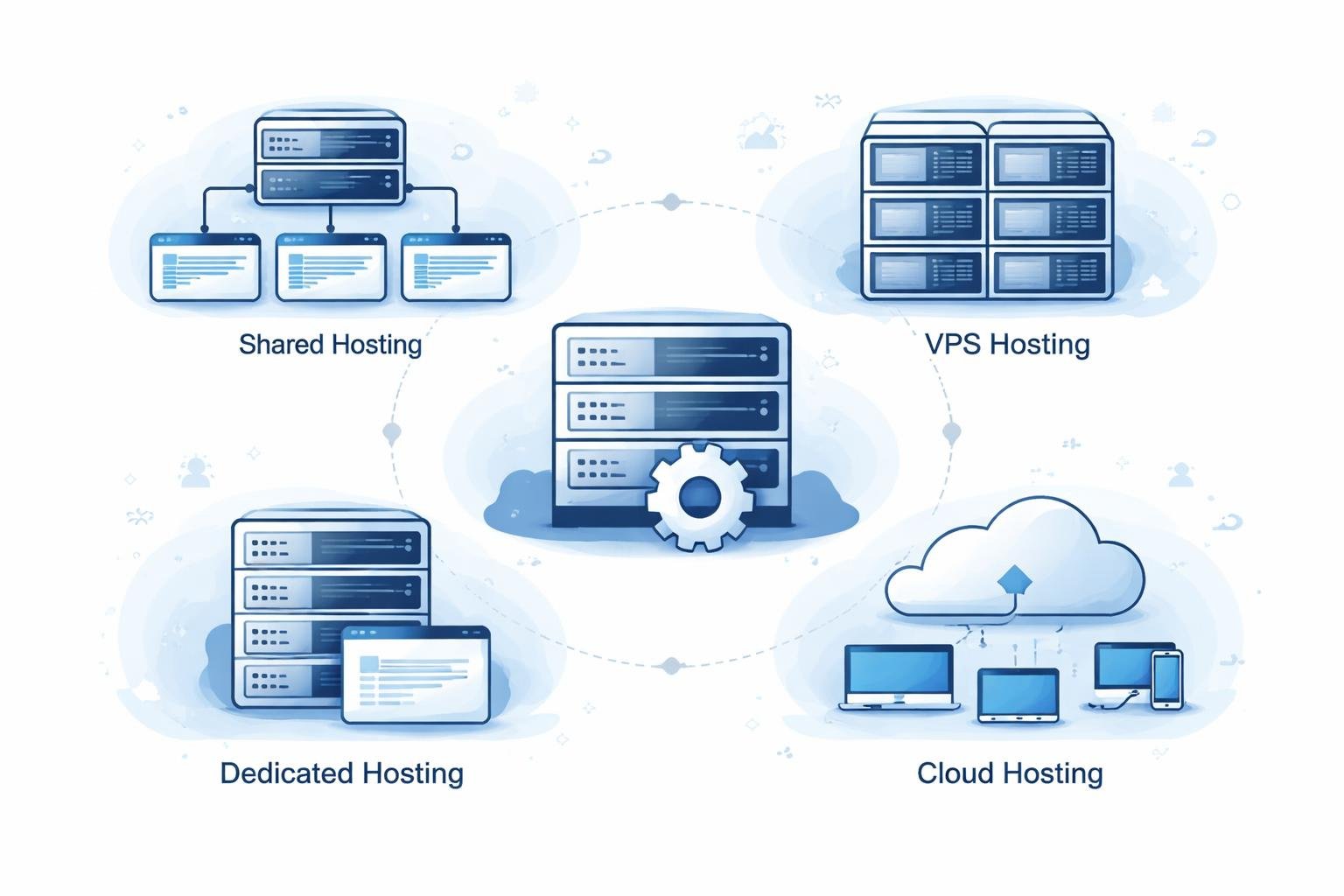
Web hosting services give your website a place to live online. Each hosting type offers a different mix of server resources, control, and price.
Knowing what makes them different helps you pick the right fit for your needs and budget.
What Is Web Hosting?
Web hosting stores your website’s files on a server, then delivers them to anyone who types in your domain name. When someone visits, the server sends your content to their screen.
Hosting companies keep the physical servers, networking gear, and data centers running so your site stays online. Most plans toss in a control panel, so I can manage files, databases, email accounts, and more without needing to be a tech wizard.
The hosting world has lots of options—from simple blogs to huge business apps that need their own infrastructure.
How Hosting Types Differ
Different web hosting types mainly differ in how they share and allocate resources. Shared hosting puts lots of sites on one server, which keeps costs low but splits up CPU and memory.
VPS hosting carves out isolated virtual spaces on a physical server, so each site gets its own chunk of resources. Dedicated hosting gives you an entire server, and cloud hosting spreads your site across a bunch of servers.
Control also changes depending on your plan. Managed services take care of maintenance and updates, while unmanaged options put you in charge of setup and troubleshooting. As you move from shared to dedicated hosting, you get more options for scaling and customizing.
Factors to Consider When Choosing Hosting
Performance needs matter most if you expect lots of visitors or run heavy apps. High-traffic sites need more power and bandwidth than a small blog.
Budget is always a factor. Shared hosting costs just a few bucks a month, but dedicated servers can get expensive fast.
Technical skills come into play, too. If you’re new, managed WordPress hosting or shared hosting will save you a lot of headaches. VPS and dedicated servers need a bit more know-how.
Scalability is worth thinking about if you plan to grow. Cloud and VPS hosting usually let you bump up resources more easily than shared plans.
Shared Hosting

Shared hosting puts a bunch of websites on one server, so everyone splits resources like bandwidth and storage. That’s why it’s usually the cheapest option, but you do have to accept some trade-offs.
How Shared Hosting Works
With shared hosting, my site lives on a server with dozens or maybe even hundreds of others. We all pull from the same CPU, RAM, and bandwidth pool.
Most providers give me a cPanel or something similar to manage my site. The hosting company handles server updates and security, so I can focus on my actual content.
Some hosts set hard limits on bandwidth and space, while others claim “unlimited” plans—usually with fine print. If another site on my server gets a traffic spike, my site can slow down since we’re all sharing.
Advantages and Limitations of Shared Plans
The biggest win with shared hosting is the price. You’ll usually pay anywhere from $2 to $15 a month because everyone chips in for server costs.
What you get:
- Solid tech support included
- Automatic backups on most plans
- Website builders built right in
- No server maintenance for me
- Simple cPanel dashboard
Downsides:
- Limited bandwidth and storage
- Performance drops when traffic spikes
- Not much room to customize
- Shared IP address
- Resource limits
If my neighbors hog resources, my site can get sluggish. I can’t install custom software or get root access. Security isn’t as tight, since I’m sharing space with strangers.
Best Use Cases for Shared Hosting
I’d go with shared hosting for personal blogs, small business sites, or portfolios expecting under 10,000 visitors a month. It’s great for new sites when I don’t want to spend much up front.
Shared WordPress hosting is perfect for beginners and small stores. The tech support and monitoring help me run a basic site without hiring anyone.
I skip shared hosting for high-traffic sites, heavy apps, or anything handling sensitive data. If you’re running a big store or need serious security, you’ll want something stronger.
VPS Hosting (Virtual Private Server)
A virtual private server acts like your own little server on a bigger machine. You get dedicated resources and more control, but you’re still technically sharing hardware. VPS hosting is kind of the sweet spot between basic shared plans and pricey dedicated servers.
Core Features of VPS Hosting
VPS hosting gives me a set amount of CPU, RAM, and storage that’s mine alone. I don’t have to worry about neighbors slowing me down.
It works by using virtualization to chop up a physical server into separate virtual machines. Each VPS runs its own operating system, so I can reboot it without affecting anyone else.
Most VPS plans offer root access, so I can install whatever software I want and tweak settings to my liking. It’s almost like having a dedicated server, but way cheaper.
Benefits of Isolated Server Resources
Because I get dedicated resources, my site’s performance stays steady—even if other VPS users get busy. If someone else on the server gets a traffic surge, my CPU and RAM don’t budge.
Security’s better, too. VPS environments keep my data and apps separate from others. I can set up custom security rules and firewalls.
I get more freedom to manage things my way. I can run maintenance when I want, install my favorite PHP version, or host multiple sites with different needs. No more dealing with shared hosting’s one-size-fits-all setup.
When to Upgrade to VPS Hosting
If my site keeps using more than 80% of my shared hosting resources, or if pages load slowly even during normal traffic, it’s time to consider VPS.
Signs it’s time to upgrade:
- Traffic over 50,000 visits a month
- Running heavy apps or databases
- Needing custom software or settings
- Handling sensitive info and needing better security
- Hosting multiple sites from a single account
E-commerce stores with lots of orders really need the stability and security of VPS. Devs love it for testing, since root access lets me experiment. If uptime and steady performance are critical for my business, VPS is a solid middle ground before you jump to dedicated servers.
Cloud Hosting
Cloud hosting spreads your site across several connected servers instead of tying everything to one machine. This setup gives you automatic scaling, built-in backups, and can handle traffic spikes without you lifting a finger.
How Cloud Hosting Differs From Traditional Hosting
Old-school hosting (like shared or dedicated) relies on a single physical server. If that server crashes or maxes out, your site slows down or disappears.
Cloud hosting does things differently. It uses virtualization across a bunch of servers, so if one fails, another one picks up the slack. No single point of failure—pretty reassuring, honestly.
Resource management changes, too. Traditional hosting gives you a fixed pile of resources for a set monthly fee. Cloud platforms usually bill you for what you actually use, so you don’t pay for idle capacity.
Key Advantages: Scalability, Reliability, and Flexibility
Scalability really stands out as cloud hosting’s main benefit. I can bump up or scale down resources instantly when traffic spikes, and I don’t have to deal with downtime. If an eCommerce site suddenly gets swamped during a flash sale, it just grabs extra CPU and RAM automatically, then drops back down when things calm down.
Reliability with cloud hosting just blows traditional hosting out of the water. Cloud hosting usually hits 99.9% uptime thanks to redundancy. Multiple servers work together, so if hardware fails, your site stays online.
Load balancing spreads incoming traffic across servers, so no single machine gets crushed. Automatic backups run across different locations, so your data’s a lot safer. With cloud platforms, I can deploy apps closer to users around the world, so they get lower latency and better speed.
Cloud Hosting Providers and Infrastructure
Big names like Amazon Web Services (AWS), Microsoft Azure, and Google Cloud Platform (GCP) dominate the cloud hosting market. They run data centers all over, and their security features—DDoS protection, firewalls, encryption—all feel pretty robust.
Cloud hosting comes in three main flavors. Public cloud shares resources among different customers, but keeps data separate. Private cloud gives one organization its own dedicated setup for more security. Hybrid cloud mixes both, so you can keep sensitive stuff private but still use the public cloud for less critical workloads.
The hosting infrastructure usually means NVMe SSD storage, CDN integration, and auto-scaling. Most providers offer compliance certifications like ISO 27001, GDPR, and HIPAA if you need to handle sensitive info.
Dedicated Hosting
Dedicated hosting gives you complete control over a physical server that’s just for your website or app. You get top-tier performance with resources all to yourself, and the customization options are pretty much endless for businesses with specific needs.
Dedicated Servers and Resources
With a dedicated server, I get all the computing power, RAM, storage, and bandwidth—no sharing. Unlike shared or VPS setups, dedicated hosting lets you configure everything to fit your exact requirements.
Specs usually mean multi-core processors, 16GB to 256GB of RAM, and storage from old-school hard drives to blazing fast SSDs. I can pick the setup that matches what I actually need, which is nice.
Resource allocation stays consistent because nobody else is fighting for CPU cycles or memory. That predictability helps apps run smoothly, even if traffic spikes. Dedicated server hosting really is the gold standard if you need guaranteed performance.
Use Cases for High-Traffic and Resource-Intensive Websites
Dedicated resources really shine when your site gets over 100,000 visitors a day or if tons of users hit your infrastructure at once. E-commerce platforms processing thousands of orders need the reliability and muscle that dedicated hosting provides.
Applications like video streaming, big databases, or complex web apps need serious RAM and CPU. Gaming servers, financial trading platforms, and SaaS tools with real-time needs fit here too.
Common dedicated hosting applications include:
- Enterprise websites with steady, high visitor numbers
- Large online stores with big product catalogs
- Media streaming and content delivery platforms
- Custom apps that need specific software setups
- Development and testing environments for bigger teams
Security and Server Management Considerations
Security gets a big boost with dedicated hosting since I don’t share space with other sites that might have vulnerabilities. I control firewall settings, security protocols, and access permissions—no compromises.
Server administration takes some know-how or you can hire managed services. I’m in charge of OS updates, patches, software installs, and performance monitoring. A lot of hosts offer managed dedicated hosting if you want them to handle the grunt work.
Isolation helps protect against breaches that could hit other users on shared systems. I can set up custom security, intrusion detection, DDoS protection, and compliance setups for stuff like HIPAA or PCI-DSS. Server management also means handling backups, disaster recovery plans, and keeping an eye on uptime.
Managed Hosting Solutions
Managed hosting providers take care of server admin tasks—updates, patches, performance checks—so website owners can focus on content and business, not technical headaches.
What Is Managed Hosting?
With managed hosting, the provider handles day-to-day server management. They take care of maintenance, software installs, security setups, and troubleshooting for you.
I see that managed hosting solutions usually include automatic updates for core software, plugins, and themes. The hosting company monitors servers 24/7 and jumps on issues before they turn into downtime.
Most managed hosting plans throw in regular backups, malware scans, and security hardening. Their support teams know the platforms inside out and fix issues fast.
Benefits of Provider-Managed Maintenance and Security
Security gets a serious upgrade with managed hosting. Providers set up firewalls, intrusion detection, and custom security protocols to keep sites safe from threats.
Automatic updates keep software patched, which closes off vulnerabilities hackers love to exploit. Regular monitoring catches performance hiccups, weird traffic, or security issues in real time.
Key benefits include:
- Time savings – No need to run routine maintenance yourself
- Expert support – Get help from people who know their stuff
- Reliability – Pro monitoring keeps uptime steady
- Security – Advanced protection and regular audits
Backups run on a schedule, so if something goes wrong, you can recover quickly. The provider also tweaks server settings to keep things fast and efficient.
Managed Hosting vs. Unmanaged Hosting
Unmanaged hosting puts all the server admin on your plate. You install software, set up security, apply updates, and fix problems yourself.
With unmanaged hosting, I get full control but need the skills to manage it right. It’s cheaper, but takes way more time and technical know-how.
| Feature | Managed Hosting | Unmanaged Hosting |
|---|---|---|
| Server maintenance | Provider handles | Client responsible |
| Security updates | Automatic | Manual installation required |
| Technical support | Specialized assistance | Basic support only |
| Cost | Higher monthly fees | Lower base price |
| Technical skills needed | Minimal | Advanced |
Managed hosting fits people who don’t want to deal with server details or just don’t have the skills. Unmanaged hosting is more for developers who want full control and want to save on hosting fees.
WordPress and WooCommerce Hosting
WordPress hosting gives you a server environment tuned for WordPress, while WooCommerce hosting adds eCommerce tweaks. Both come with pre-set configurations that make WordPress run smoother than it does on plain web hosting.
Overview of WordPress Hosting
WordPress hosting means the servers are set up to run WordPress sites efficiently. They come with the right PHP versions, MySQL databases, and caching mechanisms baked in.
Most WordPress hosts offer one-click installs, so you can launch a site fast—no wrestling with database setup or file uploads. I definitely appreciate that, especially when I just want to get started and not fuss with tech stuff.
These plans usually include automatic updates for WordPress core, themes, and plugins. That helps keep things secure and working, without me having to remember to update everything.
Shared WordPress hosting is the cheapest route, with lots of sites sharing the same server. It’s cost-effective, but if traffic spikes, performance can take a hit compared to dedicated resources.
Features of Managed WordPress Hosting
Managed WordPress hosting gives you a totally maintained environment. The host deals with updates, backups, and security, so you can just focus on content.
Built-in caching is standard in most managed plans, making page loads much faster without extra plugins. The provider sets up server-level caching that just works out of the box.
I’ve noticed that managed WordPress hosting usually packs in security features like malware scans, firewalls, and automatic backups. Daily or real-time backups with easy restore options are common, which is a relief if something goes wrong.
Key managed hosting features include:
- Automatic updates for WordPress core, themes, and plugins
- Pre-installed security tools and SSL certificates
- Support teams that actually know WordPress inside out
- Staging environments for testing changes safely
- CDN integration for faster delivery worldwide
The tradeoff? Managed WordPress hosting costs more than shared options, but you get a lot of extra services for the price.
WooCommerce-Optimized Hosting
WooCommerce hosting builds on WordPress hosting with eCommerce-specific optimizations. These plans come with WooCommerce pre-installed and resources earmarked for product catalogs, shopping carts, and payments.
The servers are tuned to handle all the extra database queries and processing that online stores need—inventory updates, orders, customer accounts, and all that. It can juggle those demands at the same time without breaking a sweat.
Payment gateway integrations are ready to go, supporting PayPal, Stripe, and credit cards. I see that WooCommerce-optimized hosting usually gives you more bandwidth and storage, since eCommerce sites chew through more data than regular blogs.
Security matters even more here, since you’re dealing with customer and payment data. Most plans include PCI compliance, SSL certificates, and extra firewall protection to keep transactions safe.
Specialized and Alternative Hosting Types
There are plenty of niche hosting options out there for different business models and budgets. Some, like reseller programs, let you run your own hosting business, while others cover enterprise colocation or even free tiers for testing.
Reseller Hosting
Reseller hosting lets you buy a big hosting account, then split it up and sell hosting under your own brand. It’s a good fit for web developers, agencies, or anyone managing lots of client sites—or if you just want to start your own hosting gig.
The typical reseller hosting package gives you white-label options, so you can brand everything as your own. You get billing tools, client management, and can set your own prices. Most reseller plans start around $25 to $100 a month.
I’ve seen agencies use reseller hosting to keep things simple when managing a dozen or more client sites. Instead of juggling multiple accounts, you manage everything from one place. The catch is, you have to handle first-line support for your clients—but usually, the main hosting company backs you up if things get tricky.
Colocation Hosting
Colocation means you own your physical server hardware but rent rack space in a professional data center facility. The facility provides power, cooling, internet connectivity, and physical security, but you keep full control over your equipment.
This setup fits large enterprises with existing hardware or companies that have strict compliance needs. You skip the huge cost of building your own data center, yet you still get to manage your hardware.
Colocation hosting costs usually fall between $100 and $1,000+ per month, not counting the upfront hardware purchase.
You need solid technical skills for colocation since you handle all hardware maintenance and replacement. But if your business needs specific setups or wants to use existing servers, the predictable costs and customization are a big plus.
Free Hosting and Promotional Options
Free hosting services are out there, mostly for testing or super simple sites. You’ll run into tight bandwidth, storage limits, forced ads, and not much in the way of support.
Many providers toss out big discounts or sale prices for new customers. These promos can slash your first-year costs, but always double-check the renewal rates—some of those can sting. I always recommend reading the fine print on these deals.
Free hosting only really works for learning or temporary projects. For anything serious, the downsides—slow speeds, security gaps, and unreliable uptime—just aren’t worth the savings.
Premium Hosting Solutions
Premium hosting covers managed and enterprise-level services that focus on speed, security, and hands-off management. These plans target businesses where downtime means lost revenue and pro support is a must.
Premium services include automated backups, advanced security, dedicated support, and performance tweaks. Providers take care of maintenance, updates, and troubleshooting, so you pay more but get peace of mind.
Prices swing a lot, usually from $50 to $500+ per month. If your tech team’s time is more valuable than the hosting fee, or if you handle sensitive transactions, the extra investment makes sense.
Comparing Web Hosting Types: Key Considerations
When picking web hosting, you’ll notice big differences between shared, VPS, dedicated, cloud, and managed options. Performance, security, pricing, and scalability are the main things to weigh.
Performance and Website Speed
Website performance really depends on your hosting type. Shared hosting splits server resources across many sites, so if your neighbors get busy, your site might slow down during peak times.
VPS and cloud hosting do better here because they allocate dedicated resources. With VPS, I get a guaranteed slice of CPU and RAM, so other users can’t hog them. Cloud hosting spreads my site across multiple servers, which keeps things running smoothly, even if traffic spikes.
Dedicated servers take performance up a notch. I get all the server’s power and memory to myself, so high-traffic or complex sites run without a hitch.
Server location matters, too. If your hosting provider has data centers close to your audience, you’ll see lower latency and faster page loads. It’s an easy win for performance.
Security and Backups
Security is all over the map depending on hosting type and setup. Shared hosting has higher risks since a vulnerability in one site can spill over to others on the same server.
VPS and dedicated hosting give you more security through isolation. I can set up my own firewalls, install security tools, and tailor everything to my needs. Dedicated servers offer the most control for meeting compliance and security standards.
Most plans throw in SSL certificates, but the details can vary. Managed WordPress hosting usually handles SSL setup and renewal automatically, but it’s smart to check before signing up.
Backup policies are different everywhere. Shared hosting often gives you weekly backups with few restore points. Managed hosting solutions usually do daily backups with easy restores. If I’m on a VPS or dedicated plan, I might need to set up my own backups unless I pay for managed services.
Pricing and Scalability
Hosting prices are all over the place. Shared hosting is the cheapest, around $2-10 per month. VPS usually runs $20-80, and dedicated servers start at $80 and can go way up from there.
Cloud hosting works on pay-as-you-go pricing, so your bill changes with your usage. It’s flexible, but you’ll want to keep an eye on your resources so costs don’t sneak up on you.
Scalability is another biggie. Shared hosting barely grows with you—you can’t really add more resources. VPS hosting lets you upgrade RAM, storage, and CPU as needed. Cloud hosting is the easiest to scale, letting you bump resources up or down instantly, no downtime required.
Managed WordPress hosting finds a sweet spot for WordPress users, though you’re limited to WordPress sites only.
Choosing the Right Hosting for Your Needs
Your hosting choice really comes down to your technical skills, budget, and what your website actually needs. Small blogs or portfolios usually do fine on shared hosting since they don’t need much power or bandwidth.
Growing businesses and ecommerce sites lean toward VPS or cloud hosting. These options give you the resources and reliability you need when traffic jumps.
Large companies with sensitive data or strict compliance rules should look at dedicated hosting. You get maximum control, security, and performance, which is worth the investment in those cases.
Technical know-how matters, too. Shared and managed WordPress hosting are simple and don’t require much tech knowledge. VPS and dedicated servers, though, need real server admin skills. Managed services can handle the hard stuff, but you’ll pay more for that convenience.
Traffic patterns play a role. Sites with steady, predictable visits do well on traditional hosting. If your traffic is all over the place, cloud hosting’s flexibility is a big advantage.
Frequently Asked Questions
Knowing the main differences between hosting types helps you make smarter choices about resources, performance, and where your money goes.
What are the differences between shared hosting and dedicated hosting services?
Shared hosting puts multiple sites on one server, so everyone shares CPU, RAM, and storage. It’s the cheapest option, usually $2 to $15 per month.
Dedicated hosting gives you an entire server for your site alone. I get full control, dedicated resources, and better security since nobody else is on my hardware.
The price jump is huge. Shared hosting works for small sites and blogs, while dedicated hosting runs from $80 to $500+ per month for high-traffic or extra-secure sites.
Can you explain how VPS hosting differs from other web hosting options?
VPS hosting splits a physical server into isolated virtual spaces with virtualization tech. Each VPS gets its own CPU, RAM, and storage, unlike shared hosting where resources bounce around based on what everyone else is doing.
I get root access and can install whatever software I want, which shared hosting doesn’t allow. VPS hosting sits between shared and dedicated servers in both features and cost.
Prices usually land between $20 and $100 per month. It’s pricier than shared hosting but a lot cheaper than dedicated, while still locking in guaranteed resources.
What is cloud hosting and how does it scale with website traffic?
Cloud hosting spreads your site across several servers, not just one. When traffic spikes, the system pulls in more resources from the network automatically.
I can scale up or down in real time. If I get a sudden rush of visitors, the cloud pulls in more power to keep things fast, no manual work required.
This model means I only pay for what I use. Most cloud hosts use pay-as-you-go pricing, which is great for sites with unpredictable traffic.
What advantages does managed hosting provide for website owners?
Managed hosting takes care of all the tech stuff—updates, security patches, backups, and server monitoring. I don’t have to mess with server admin or know a ton about the backend.
The support team handles performance tweaks, malware checks, and troubleshooting. That frees me up to focus on my content or business instead of tech headaches.
Managed WordPress hosting is especially good for beginners who want things to just work. The extra support and automated maintenance are worth the higher monthly cost if you don’t want any hassle.
How do the resources and costs compare between shared hosting and VPS hosting?
Shared hosting usually gives you 1-2 GB storage, limited bandwidth, and CPU shared with tons of other sites. You can get started for $2 to $5 a month.
VPS hosting guarantees certain resources—often 2-8 GB RAM, dedicated CPU cores, and 40-100 GB SSD storage. I get steady performance no matter what other users do.
The price reflects the difference. Shared hosting rarely tops $15 per month, while VPS starts around $20 and can go over $100, depending on what you need and who you use.
What should I consider when choosing between traditional hosting and cloud hosting solutions?
First, I look at my website’s traffic patterns. If visitor numbers stay steady, traditional shared or dedicated hosting usually handles things just fine.
But when traffic jumps around or keeps growing, cloud hosting really shines. It’s built for that kind of unpredictability.
Budget’s a big deal, too. With traditional hosting, I get a fixed monthly rate, so I always know what I’ll pay.
Cloud hosting charges me for what I actually use, which means my bill might change from month to month. Sometimes that’s a good thing, sometimes not so much.
Technical know-how matters here. Managing traditional hosting with cPanel or similar tools feels pretty straightforward most days.
Cloud platforms, though, can demand a bit more skill. I might have to get comfortable with dashboards and scaling settings I haven’t seen before.


Author: Sintugau
Louis is a web hosting expert with over 5 years of experience reviewing and testing hosting providers. He helps users find the best hosting solutions for their needs.
11 thoughts on “Web Hosting Types Explained: Comprehensive Guide to Hosting Options”